This page explains the process of implementing the script tracking for Retrack.
Sign in to the platform
Click here to access your account.
Find your tracking code
Navigate to Programs and select one of your programs. There should be at least one available. Make sure to click on the "view" icon in order to get into the correct page. On the top you will find the Script Generator widget, which looks like this:
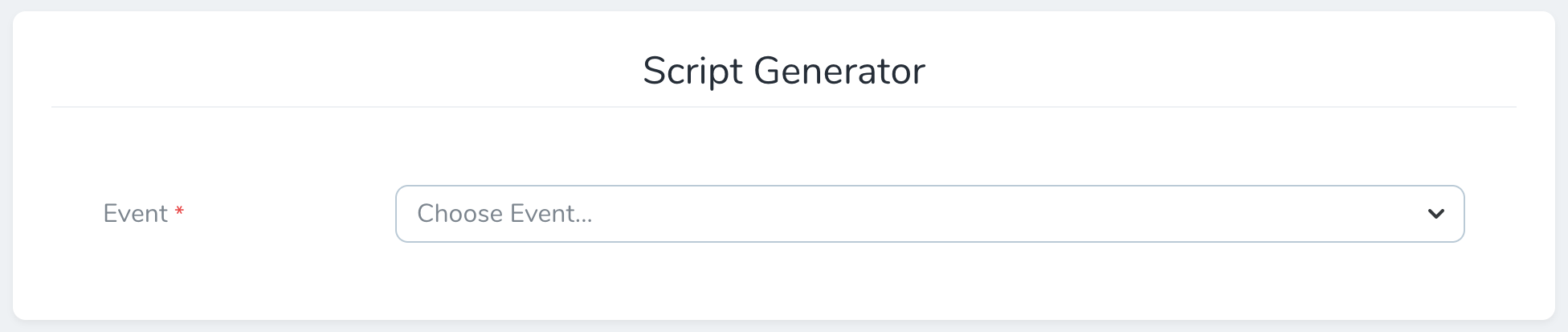
Choose the event you'd like to implement and you will be presented with a script. Here is one example:
<script type="text/javascript">
     !function(){"re" in window||(window.re=function(){window.re.q.push(arguments)},window.re.q=[]);var e=document.createElement("script");e.src="https://retrack-app.com/track/v2/script",e.async=!0;var n=document.scripts[0];n.parentElement.insertBefore(e,n.nextSibling)}();

    // Object. Required
    re('addTransaction', {
        // UUID. Base event for the transaction. Can be overridden on product level using addProduct
        event: '5009fafe-1eb0-11eb-adc1-0242ac120002',

        // UUID. Replace with actual click UUID from cookie: Example: ce5fc4b5-0ddc-4176-ba64-44c3423bbae1
        click: '625fae10-1eb0-11eb-adc1-0242ac120002',

        // String. Replace with actual order number. Example: test123
        orderNumber: '{orderNumber}',

        // Numeric. Replace with actual order sum in minor units (ie cents), excluding VAT. Example: 8000 (80 SEK)
        orderSum: {orderSum},

        // Numeric. Replace with actual VAT sum in minor units (ie cents). Example: 2000 (20 SEK)
        vatSum: {vatSum},

        // String. Replace with actual currency. Example: SEK
        currency: 'SEK',

        // String. Optional (remove or leave empty if not applicable). Replace with actual voucher / coupon code. Comma separated if there are multiple codes.
        voucher: '{voucher}',

        // String. Optional (remove or leave empty if not applicable). Applicable if the order has a general discount. Use minor units (ie cents)
        discountSum: {discountSum}
    });
            // Object. Optional, but preferred. Required with multiple events in the same transaction
    re('addProduct', {
        // UUID. Optional. This will override the base event for the transaction. Useful for orders with products belonging to multiple events
        event: '5009fafe-1eb0-11eb-adc1-0242ac120002',

        // String.Product reference. Could be SKU, ISBN or any other ID. Example: test123
        reference: '{reference}',

        // String. Product name. Example: Adidas Superstar
        name: '{name}',

        // Numeric. Num products. Example: 1
        quantity: {quantity},

        // Numeric. Price per product in minor units (ie cents), excluding VAT. Example: 8000 (80 SEK)
        price: {price},

        // Numeric. VAT amount per product in minor units (ie cents). Example: 2000 (20 SEK)
        vat: {vat}
    });


    re('send');
</script>
Make sure you replace all values between curly brackets {} to the actual values from the order.
Note that the order sum should be represented without VAT and exclude shipping. All monetary values should be sent in minor units. For example:
| Field | Value | Explanation |
|---|---|---|
| Total price | 125 SEK | |
| VAT | 25 SEK | |
orderSum |
10000 | (125 - 25) × 100 |
vatSum |
2500 | 25 × 100 |
A note about orders with mixed events - The main transaction object can only have one unique event, but it's possible to override the event on product level. Just replace the event property with the actual event for this product. Retrack will automatically calculate the correct commission based on each event. The responsibility to keep track of which event to display falls on the store.
Create a redirect page
Whether a redirect page is required depends on how your program is configured in Retrack. Each program has a Uses Redirect Page setting that can be toggled on or off. Check this setting on your program before proceeding.
When enabled, Retrack sends the user to your redirect page first. The redirect page saves the click identifier in a cookie and then forwards the user to the actual destination. Without this step, the tracking script on your confirmation page has no way of linking a lead or purchase back to the original click.
You will receive traffic from Retrack with the following two URL parameters: click and deeplink. Here is one example:
https://www.store-domain.com/retrack?click=625fae10-1eb0-11eb-adc1-0242ac120002&deeplink=https%3A%2F%2Fwww.store-domain.com%2Fsome-product
Create a new page that can accept these two parameters. Save the click identifier in a cookie named retrack_click with a 10-day expiration. Once stored, redirect the user to the deeplink URL.
document.cookie = `retrack_click=${click};expires=${expires};path=/;secure;samesite=lax`;
The redirect URL can be any URL on your main store domain. Just make sure to communicate the exact URL of this page to Retrack.
Display the tracking code
Whenever an order is completed, you should check the existence of the cookie you created in the previous step. If it does not exist, continue as normal. If it does exist, display the tracking script on the order confirmation page. The code can be put anywhere between <head></head>, or before the ending </body> tag.
Other recommended guides
Done
That's it! You have now implemented tracking for Retrack. We would now like to test the implementation before it goes live. Reach out to us with testing instructions.